3 C++ Compilation (Makefiles)
我们可以在 working directory 中输入指令来用 g++ compiler 手动制作 .exe 文件.
g++ -Wall -Werror -pedantic -g --std=c++17 -Wno-sign-compare -Wno-comment main.cpp -o main.exe
但是如果程序的文件关系比较多,先后编译顺序手写就很麻烦. 因而我们把指令写进一个 Makefile 文件来 automate 这个过程.
make 指令会读取为 Makefile 文件,根据里面的指令来制作 .exe 文件.
280并不要求手搓 Makefile, 只需要能看懂 Makefile 并修改其中的一些命令依赖就可以了. 以后再学习 Makefile 文件的编写以及通过 Cmake 工具生成 Makefile 文件.
3.1 MakeFile 语法规则
我们知道,C/C++ Source Code 首先会生成 obj 文件 (.o), 然后 .o 文件会被编译成 .exe 文件.
target... : prerequisite...
    recipe1...
    (command1...
    command2...)
- target (目标文件): 本条规则要生成的文件, 比如
main.exe. 如果 target 文件的更新时间晚于 prerequisite 的更新时间,则说明 prerequisite 没有改动,target 不需要重新编译; 否则会进行重新编译并更新target. - prerequisite (依赖文件): used as input to create the target, 比如
main.cpp. 即目标文件由哪些文件生成. - recipe (配方):由 prerequisite 生成 target 的 commands, 比如
g++ main.cpp -o main.exe. 注意每条命令要换行,且每条命令之前必须有一个tab保持缩进,这是语法要求 (有一些编辑工具默认tab为4个空格,会造成Makefile语法错误).
具体例子:
makefile
main.exe: main.cpp
  g++ main.cpp -o main.exe
3.2 Variable 变量
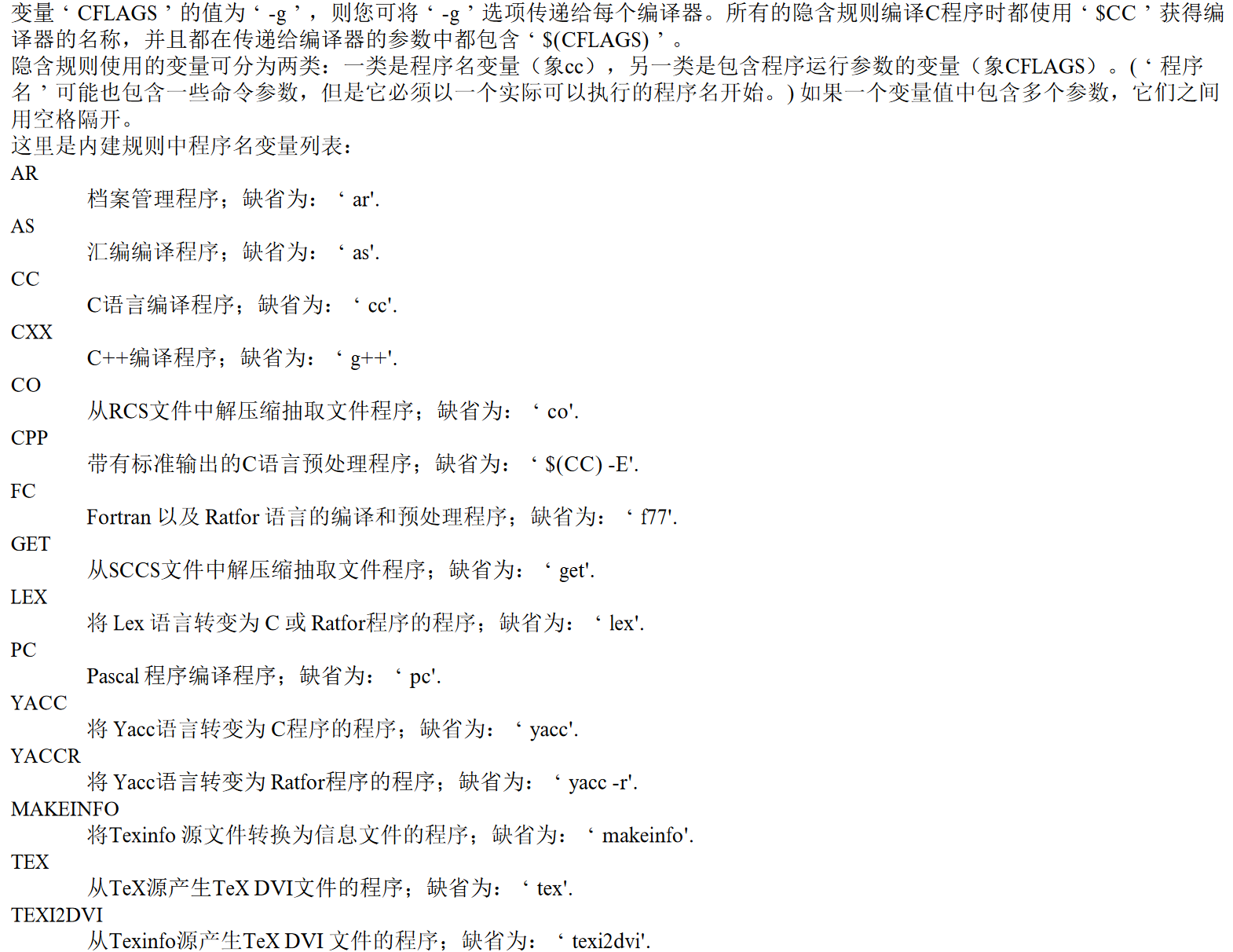
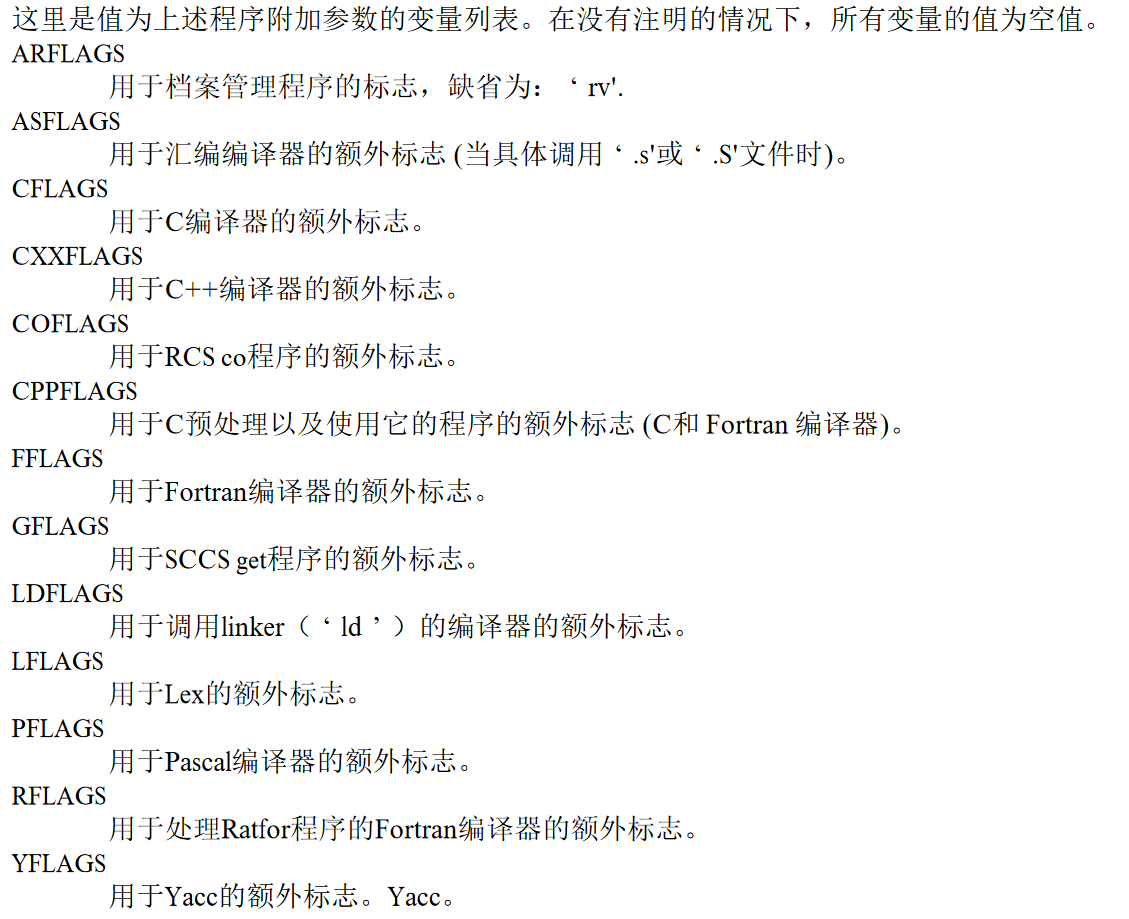
一个 variable 可以帮助减少 code duplication 从而起到简化作用. 比如要生成多个 .exe 文件,于是我们给编译命令 (g++ 编译器和它的flag) 用 variables (CXX 和 CXXFLAGS) 来指代.
CXX ?= g++
CXXFLAGS ?= -Wall -Werror -pedantic -g --std=c++17 -Wno-sign-compare -Wno-comment

main.exe: main.cpp
    $(CXX) $(CXXFLAGS) main.cpp -o main.exe

unit_tests.exe: unit_tests.cpp unit.cpp

    $(CXX) $(CXXFLAGS) unit_tests.cpp unit.cpp -o unit_tests.exe
这些变量名都是标准的. 至于格式和其他东西这里先不学了,参见 GNU make 官方文档 https://www.gnu.org/software/make/manual/make.html#Makefile-Names 以及中译 https://file.elecfans.com/web1/M00/7D/E7/o4YBAFwQthSADYCWAAT9Q1w_4U0711.pdf
3.3 Example
3.3.1 Source files
(1) main.cpp:
#include <iostream>
using namespace std;

int main() {
  cout << "Hello World!\n";
}
(2) main_test.in:
this program doesn't read stdin,
so this text doesn't matter
(3) main_test.out.correct:
Hello World!
3.3.2 command line compilation
我们可以写 command 手动用 g++ 编译这段.
g++ -Wall -Werror -pedantic -g --std=c++17 -Wno-sign-compare -Wno-comment main.cpp -o main.exe
./main.exe
# Hello World!
rm main.exe

./main.exe < main_test.in > main_test.out
diff main_test.out main_test.out.correct
# no output means the file matches
3.3.3 Makefile compilation
而我们也可以创建一个 Makefile 文件来编译.
(1) 代码结构:
tree
.
├── Makefile
└── main.cpp
(2) Makefile:
CXX ?= g++
CXXFLAGS ?= -Wall -Werror -pedantic -g --std=c++17 -Wno-sign-compare -Wno-comment

# Run regression test
test: main.exe
    ./main.exe < main_test.in > main_test.out
    diff main_test.out main_test.out.correct
    echo PASS

# Compile the main executable
main.exe: main.cpp
    $(CXX) $(CXXFLAGS) main.cpp -o main.exe

# Remove automatically generated files
clean :
    rm -rvf *.exe *~ *.out *.dSYM *.stackdump
(3) command:
make main.exe   #(1) make exe using makefile
./main.exe  #(2) run exe
make test   #(3) run a test
make clean  #(4) clean the generated files
